
Technology Skills: 10 Essential Computer Proficiency for 2026
Technology evolves faster every single year, transforming how we work, communicate, and solve problems across every industry. Consequently, staying competitive requires more than basic web browsing or typing.
In addition, digital literacy is no longer a luxury reserved for IT professionals. Today, mastering essential computer proficiencies helps everyone protect private data, streamline routine tasks, and excel in modern workplaces.
Why Modern Technology Demands Continuous Learning
Modern technology touches nearly every facet of our daily professional and personal routines. For example, remote collaboration platforms, automated workflows, and smart algorithms now dominate office environments worldwide.
Therefore, individuals who fail to update their technical toolkits risk falling behind quickly. According to the World Economic Forum’s Future of Jobs Report, analytical thinking and technological literacy remain among the fastest-growing core job proficiencies globally.
Furthermore, employers actively seek candidates who demonstrate agility when adopting modern digital tools. When you master these core competencies, you save hours each week and unlock high-impact career opportunities.

10 Essential Computer Skills Everyone Must Learn
Let us explore the core proficiencies you should develop this year to stay productive, secure, and confident.
1. Artificial Intelligence and Prompt Engineering
Artificial intelligence has become a standard workplace copilot rather than a novelty. Consequently, knowing how to formulate clear, structured prompts determines the quality of your output.
For instance, workers use generative platforms to summarize long reports, brainstorm campaign concepts, and draft business correspondence. However, getting great results requires clear instructions, contextual constraints, and iterative refinement.
Furthermore, learning how to verify AI outputs ensures accuracy and prevents embarrassing factual mistakes. When you guide these systems properly, you multiply your daily output substantially.
2. Cloud Collaboration and Storage Management
Physical storage drives are steadily fading into the background. Therefore, mastering cloud ecosystems like Google Workspace, Microsoft 365, and Dropbox is non-negotiable.
In addition, effective cloud collaboration requires understanding shared drive permissions, version control, and real-time co-authoring. For example, you should know how to restore earlier file versions when accidental edits occur.
Similarly, organizing shared folders with consistent naming conventions keeps distributed teams synchronized. When your digital workspace remains orderly, team friction drops noticeably.
3. Practical Cybersecurity and Digital Privacy Hygiene
Cyber threats grow more sophisticated and deceptive each day. As a result, robust cybersecurity hygiene serves as your essential personal shield.
First, you should implement multi-factor authentication (MFA) across every primary account you manage. In addition, using dedicated password managers eliminates the dangerous habit of reusing weak credentials.
Furthermore, you must learn to spot advanced phishing indicators, malicious URL redirects, and spoofed sender profiles. Practicing basic security protocols preserves your identity, company assets, and personal finances.
Graphics in 2026: The Future of Graphic Design
4. Advanced Spreadsheets and Data Analytics
Spreadsheets remain the backbone of operational decision-making. Therefore, basic data entry no longer gives you a competitive edge.
Instead, learn how to build dynamic pivot tables, clean messy data sets, and visualize trends with clear charts. For example, formulas such as XLOOKUP, nested logic statements, and conditional formatting help you surface hidden trends quickly.
Moreover, modern spreadsheet tools now integrate predictive functions and smart automation. Consequently, interpreting numerical trends accurately turns raw numbers into persuasive business arguments.

5. Automated Workflow and No-Code Integration
Repetitive digital tasks drain valuable energy and focus. Fortunately, no-code automation platforms let everyday users link disparate web applications effortlessly.
For instance, tools like Zapier, Make, and native platform automations can log form responses, organize email attachments, and ping team chat channels automatically. As a result, you remove repetitive administrative bottlenecks without writing a single line of software code.
In addition, understanding logical triggers and conditional filters allows you to customize multi-step business pipelines. Mastering basic workflow automation frees your schedule for strategic thinking.
6. Basic Web Development and CMS Management
Virtually every modern organization depends on web properties to connect with audiences. Therefore, understanding foundational web mechanics proves immensely beneficial.
For example, learning basic HTML tags, CSS styling rules, and content management systems like WordPress empowers you to fix formatting glitches independently. Furthermore, you will not have to wait for an engineer just to update landing page copy or replace broken image links.
Consequently, non-technical marketers, project managers, and writers become significantly more versatile. This versatility makes you an invaluable team member during rapid project launches.
What is Digital Marketing? The Ultimate Tech Guide
7. Operating System Navigation and Keyboard Shortcuts
Most users navigate their devices inefficiently using only standard mouse clicks. In contrast, mastering essential system navigation and keyboard shortcuts doubles your execution speed.
For instance, learning native window-snapping controls, virtual desktop spaces, and system-wide search hotkeys minimizes interface clutter. Similarly, mastering universal text-editing keystrokes keeps your fingers planted firmly on the home row.
Moreover, understanding your operating system’s diagnostic utilities lets you monitor system resources, manage background processes, and clear cache bloat. These small daily micro-efficiencies add up to hours of saved time every month.
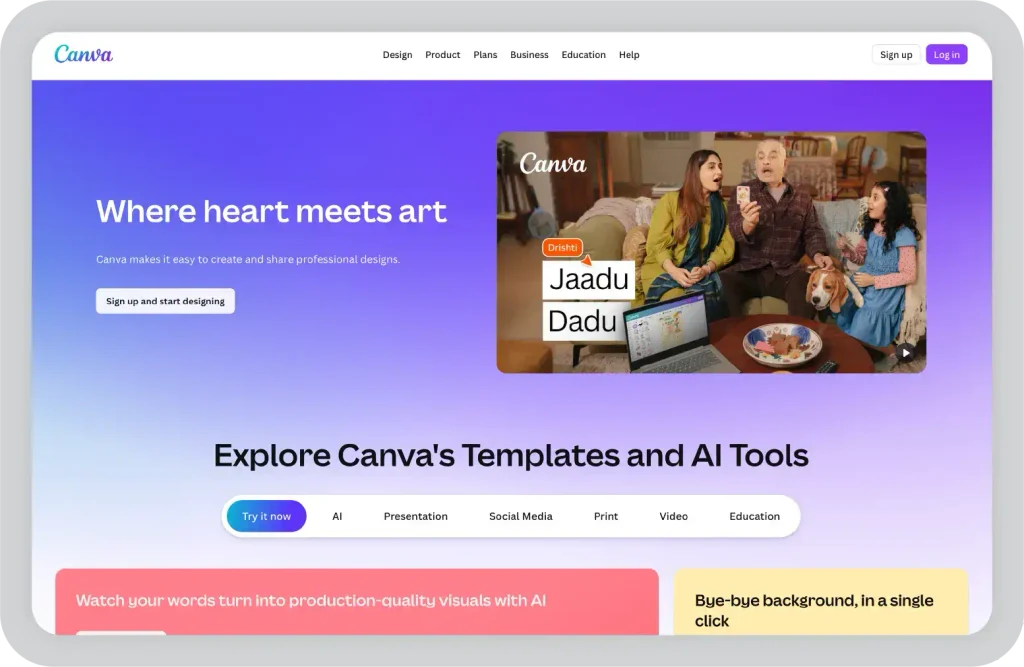
8. Digital Asset Creation and Visual Design
Visual communication now dominates team chats, customer presentations, and web marketing. Consequently, everyone benefits from knowing the principles of clean visual design.
For example, platforms like Canva and Figma make it straightforward to create polished presentations, social banners, and project diagrams. However, you must still understand fundamental design tenets like visual hierarchy, typography pairings, and accessible color contrast.
In addition, learning how to crop, compress, and format raster and vector graphics prevents blurry layouts and slow page loading speeds. Polished visual assets immediately elevate the perceived value of your work.
9. Video Conferencing and Digital Presentation Tools
Remote and hybrid workspaces require crisp, engaging digital presentation techniques. Therefore, running a glitch-free virtual meeting represents a crucial workplace skill.
First, learn how to configure audio input sources, test bandwidth limits, and manage meeting room access controls professionally. In addition, interactive screen-sharing methods, digital whiteboards, and breakout rooms keep attendees actively engaged during longer sessions.
Furthermore, knowing how to record, transcribe, and distribute concise meeting summaries saves everyone valuable follow-up time. Confident virtual communication helps you run effective, memorable remote meetings.
10. Hardware Troubleshooting and Network Literacy
Nothing halts momentum like an unexpected hardware glitch or a dropped internet connection. Therefore, basic diagnostic proficiency remains an essential practical superpower.
For instance, you should understand how your router assigns local IP addresses, how to power-cycle network hardware properly, and how to verify DNS settings. Similarly, learning how to manage external peripheral drivers and run malware scans prevents total system freezes.
Consequently, you avoid lengthy work delays and save money on basic IT calls. When technical hurdles arise, calm diagnostic troubleshooting keeps you productive.
How to Build Your Digital Skill Set Effectively
Adopting new technical habits does not require months of solitary studying. Instead, commit to practicing one distinct skill every month through small, tangible personal projects.
For example, build a personal monthly budget using advanced spreadsheet formulas before attempting enterprise-level data modeling. Similarly, configure a basic automated notification between your email and calendar to see how triggers operate firsthand.
In addition, seek structured feedback from experienced colleagues or online learning communities. Consistent, bite-sized practice steadily converts complex digital tasks into second nature.
Final Thoughts
Adapting to emerging technology is a continuous journey that yields massive career and personal dividends. By building your skills across AI prompting, cybersecurity hygiene, cloud collaboration, and automated workflows, you ensure that you remain capable, confident, and indispensable. Start small, focus on solving one daily workflow inefficiency at a time, and watch your digital proficiency soar.
Which computer skill are you planning to tackle first this year? Leave a comment below with your learning goals, or share this guide with a colleague looking to upgrade their digital skills!